
-
When using a custom protocol to add a camera via RTSP, it will ask for a Resource Path.
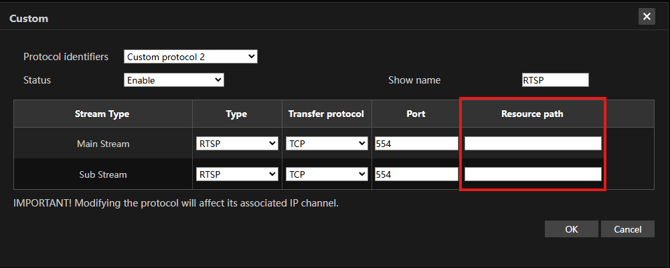
-
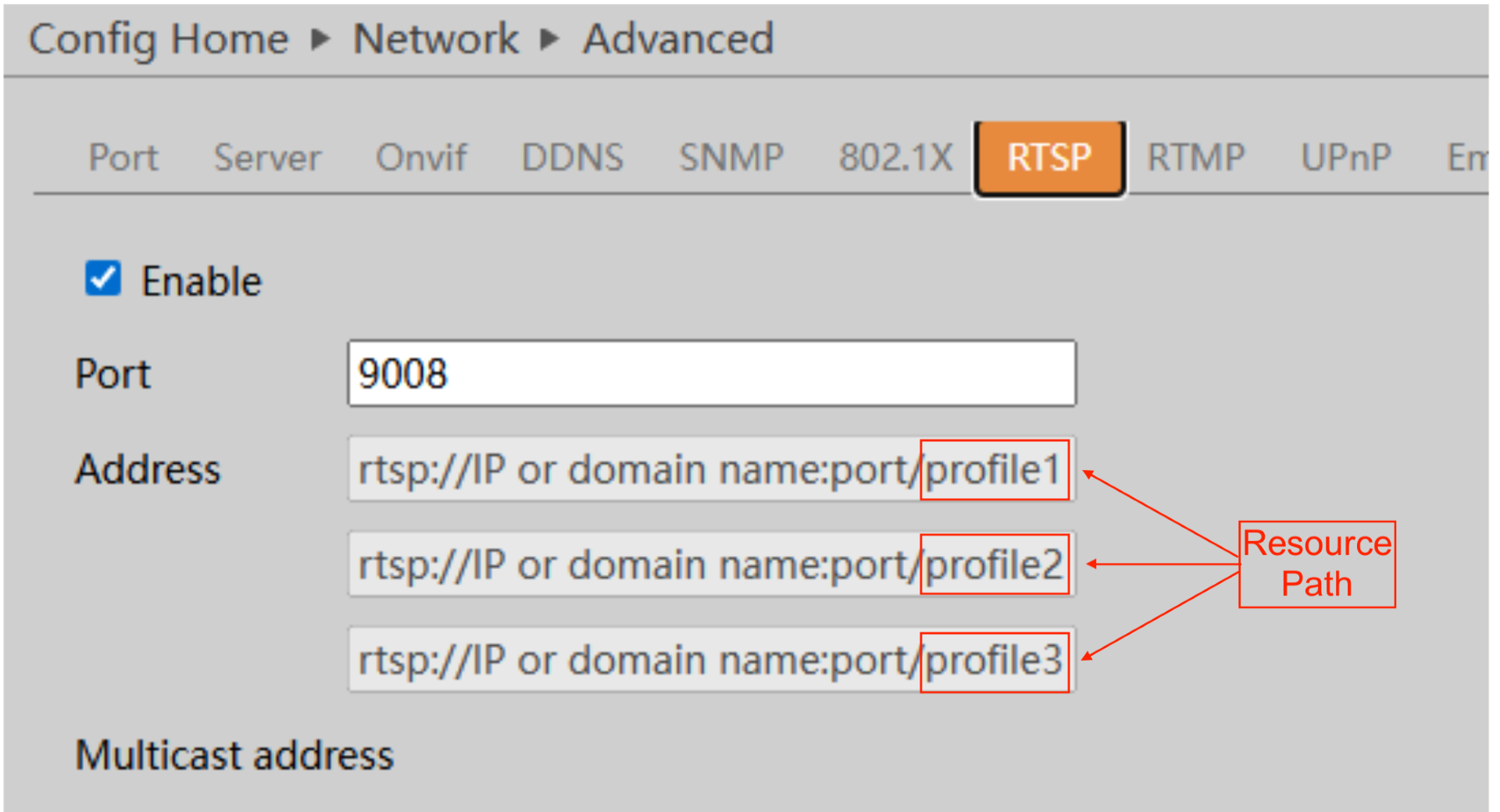
To find the resource path for a camera, check either the RTSP section of your camera, the user manual, or find information from the manufacturer. Below is the RTSP URL for a Speco O4D9.
-
When adding a camera with RTSP, the protocol, IP address, username/password and port are entered when manually adding the camera.

-
The Resource Path for the camera will be the end of the URL, most commonly after the port. For the O4D9, the resource path will be:
Main Stream: /profile1
Sub Stream: /profile2
Third Stream: /profile3
-
Some common resource paths for cameras are:
Hanwha:
Main Stream: /profile1/media.smp
Sub Stream: /profile2/media.smp
Hikvision:
Main Stream: /Streaming/Channels/101
Sub Stream: /Streaming/Channels/102
Dahua:
Main Stream: /cam/realmonitor?channel=1&subtype=0
Sub Stream: /cam/realmonitor?channel=1&subtype=1
Axis:
Main Stream: /axis-media/media.amp
Sub Stream (720P): /axis-media/media.amp?videocodec=h264&resolution=1280x720
Uniview:
Main Stream: /media/video1
Sub Stream: /media/video2
Specialty cameras, such as multi lens, fisheye and PTZ cameras may have different RTSP URLs. Check your device or the manufacturer for most accurate RTSP URL for your camera.
Initial submission Date: May 21st, 2026

Article authored by: Kevin Holland, Technical Support Lead