
-
First, make sure both recorders are connected to the same network.
-
Next, on the NVR navigate to settings and then camera settings.
-
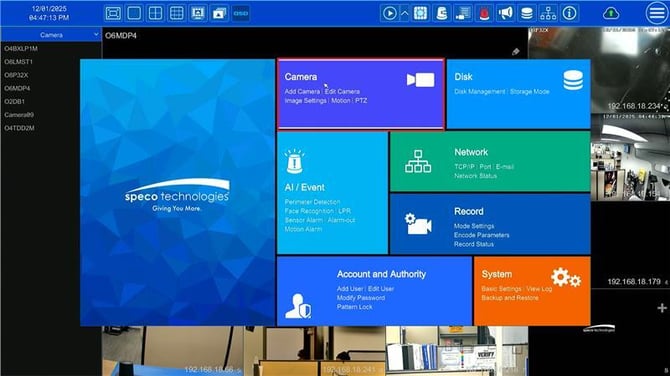
-
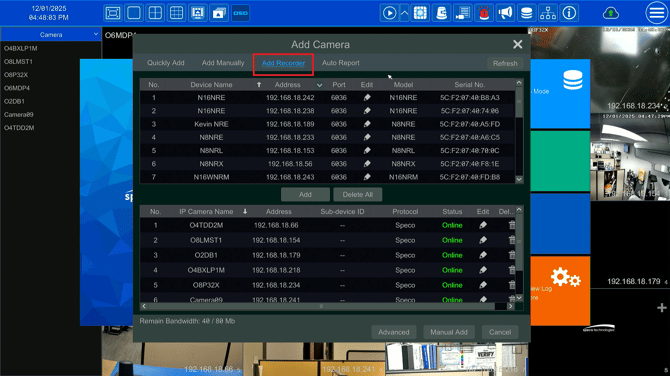
Next, navigate to Add Camera and click on the Add Recorder option
-
Select the hybrid recorder and click Add

-
Next, enter in the username/password of the the hybrid recorder and click the Test button
-
Upon a successful test, the camera channels from the hybrid will populate.
-

-
Select the desired analog channels, labeled as Camera1-X and press OK.
Note: The recorder must have the corresponding amount of open channels in order to add from another recorder
-
From here, the camera will display on the camera list with the protocol being recorder and the model being the hybrid recorder's model.
Initial submission Date: February 9th, 2026

Article authored by: Michael Pagano, Technical Support Agent - Tier 1