
- Log into your recorder and go to Settings

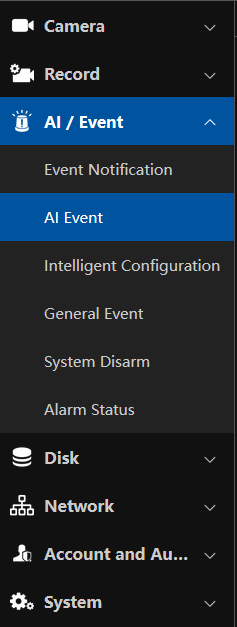
- Select AI / Event
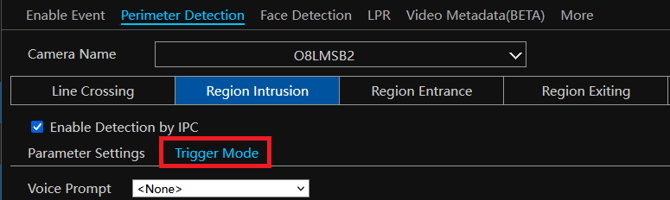
- Configure the analytic of your choice on the camera you would like to link to the digital deterrent camera, then select Trigger Mode
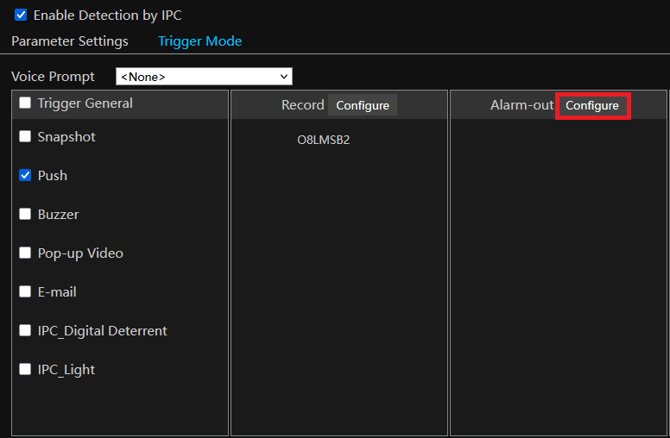
- Under the alarm out tab, select Configure
The next configuration will vary based on how this is wired.
- The easiest way to wire this would be tying in the alarm out to the alarm in on the digital deterrent camera. This will look like this:
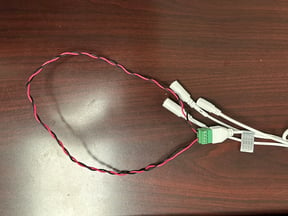
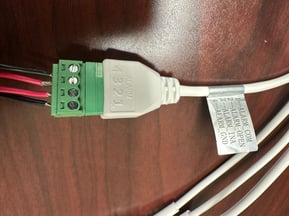
The other way of wiring would be tying the recorders alarm out to the digital deterrent cameras alarm in.
-
If this is wired based on both of the cameras alarm in and out, you will be using that cameras alarm out:
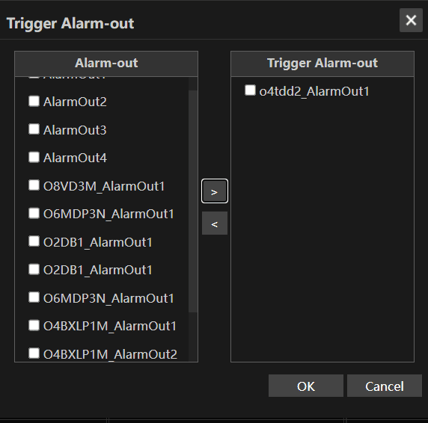
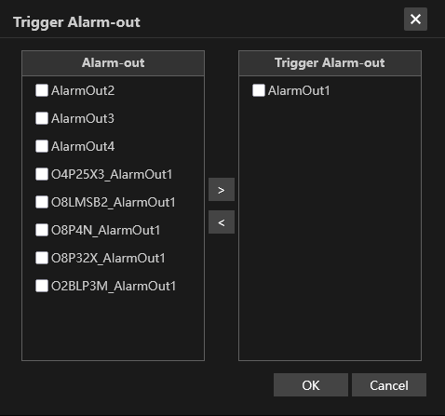
- If this is wired from the recorder you will be using the recorder's alarm out:
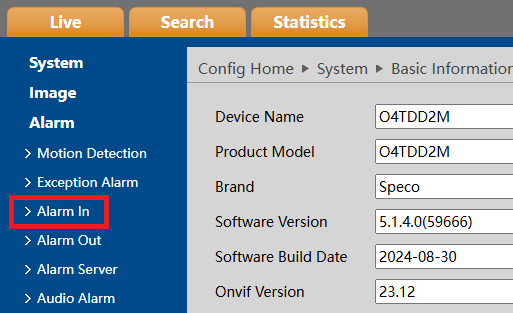
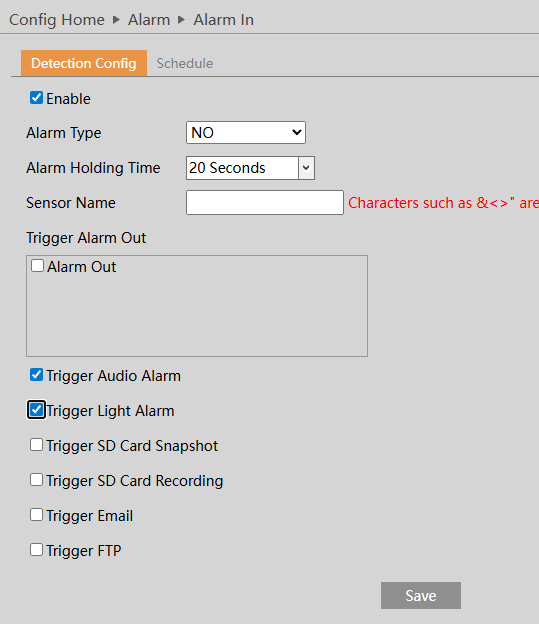
- Log into the web interface of your digital deterrent camera and select Config. Under Alarm, select Alarm In
- Enable the Alarm In, then select Trigger Audio Alarm and Trigger Light Alarm
- Also ensure that the Alarm type is on NO (Normally Open) for both Alarm in an alarm out
Note: You can have a single camera trigger multiple alarm outputs on your recorder, or have multiple cameras trigger the same alarm out
Initial submission Date: July 2nd, 2026

Article authored by: Kevin Holland, Technical Support Lead

Article revised on October 14th, 2026 by Michael Pagano, Technical Support