
- First, navigate to the Video Preview option

- In order to have a sequence view there needs to be at least two previews saved.
- Drag and drop cameras in the desired layout
- Click the Save Icon
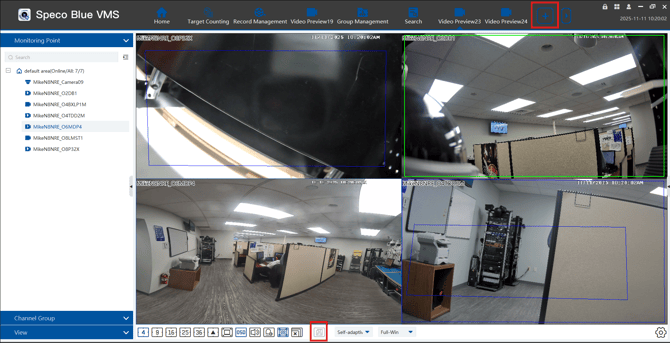
- On video preview, navigate to the View Option.
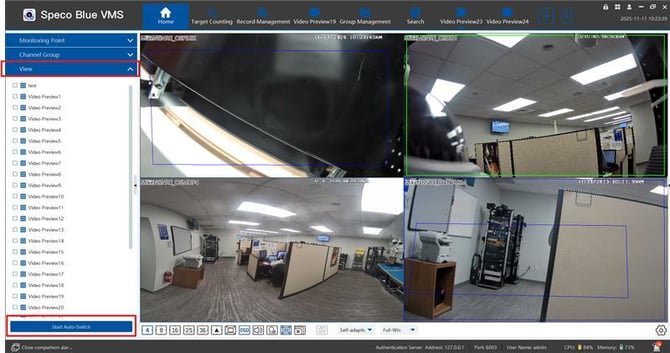
- From here, different video previews can be switched between using the auto-switch option.
- Select the desired previews and select Start Auto-Switch.
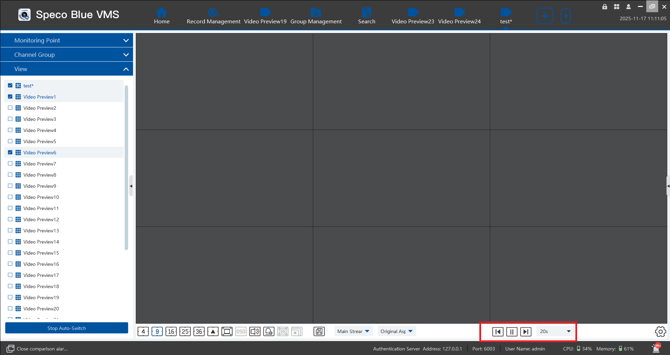
- After starting, there will be settings to manually switch, pause as well as change the sequencing time.
Initial submission Date: November 17, 2025

Article authored by: Michael Pagano, Technical Support Agent - Tier 1