
- Log into your recorder and select Settings

-
Select Record
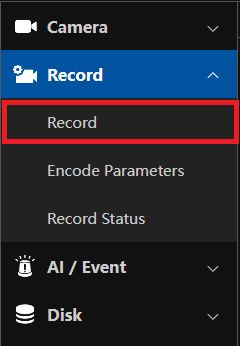
-
Select the Advanced tab
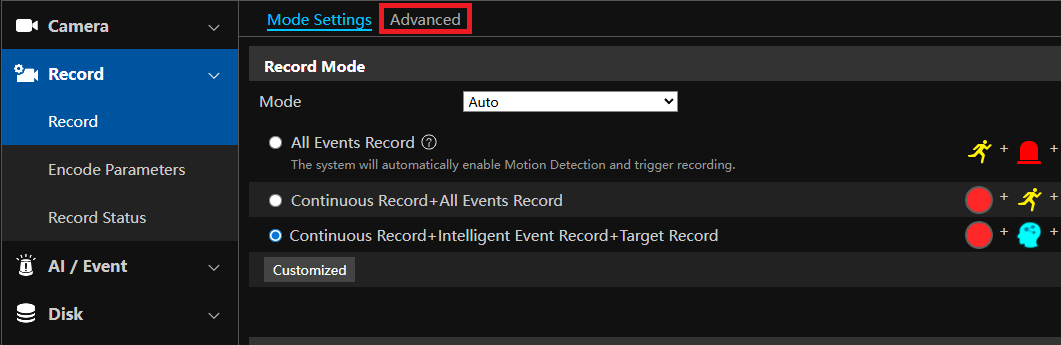
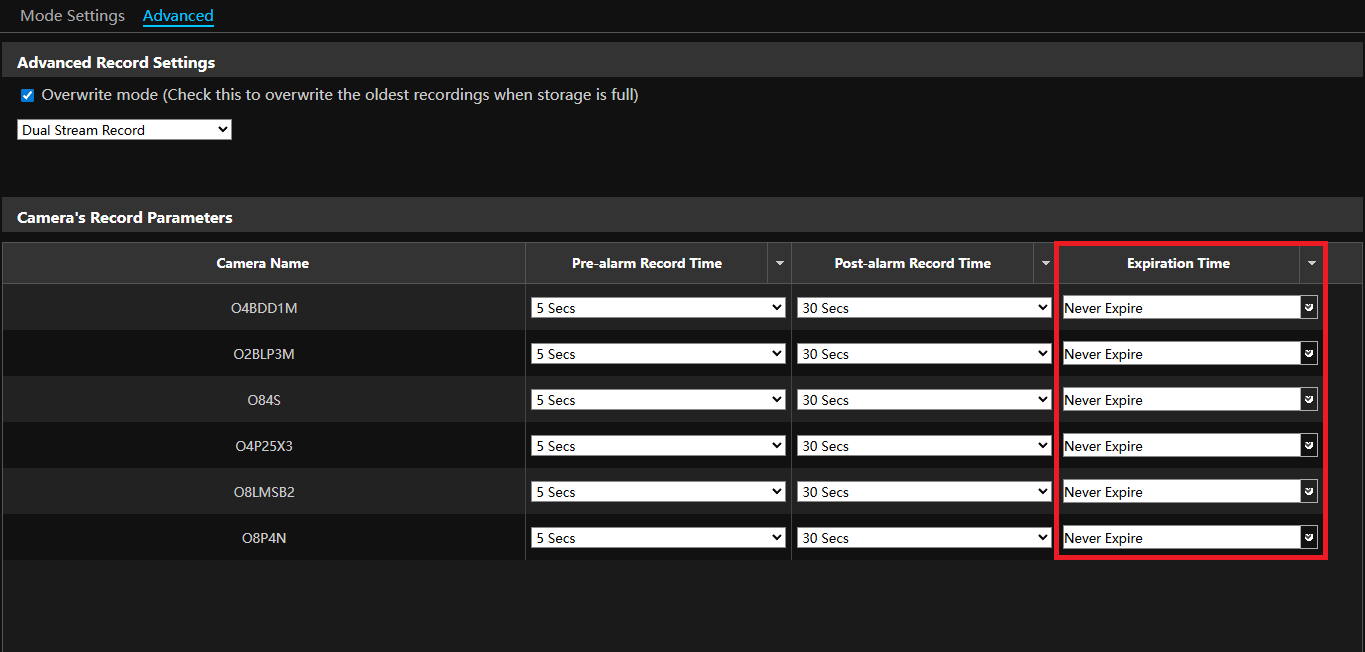
- Set the expiration time for footage by each individual camera
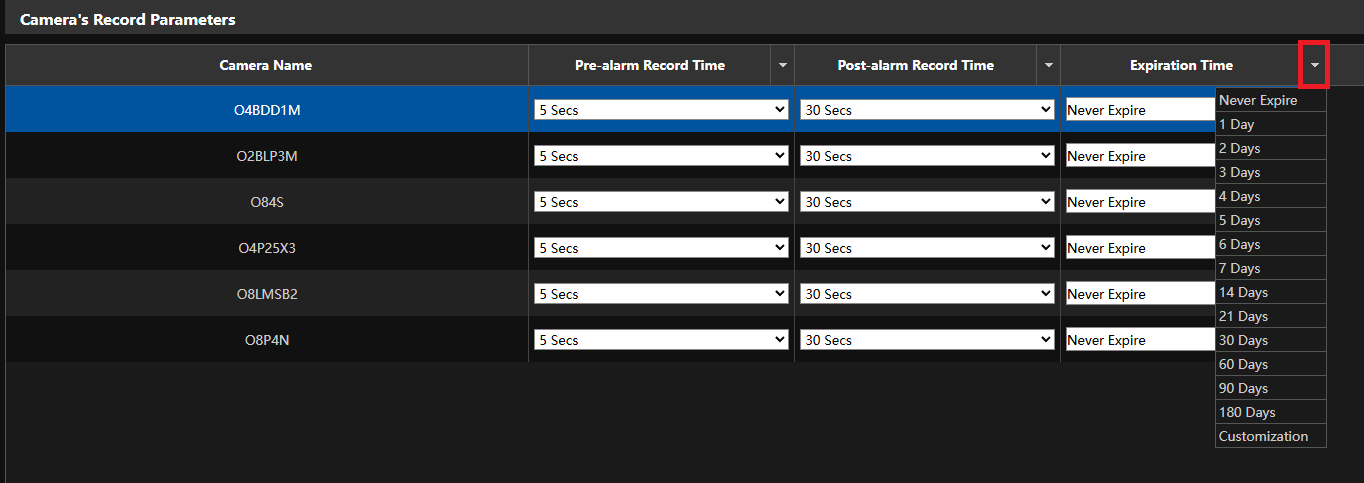
- You can also hit the down arrow next to Expiration Time to set the time to all cameras on the recorder
Initial submission Date: July 1st, 2026

Article authored by: Kevin Holland, Technical Support Lead