
- Go to Settings > Playback
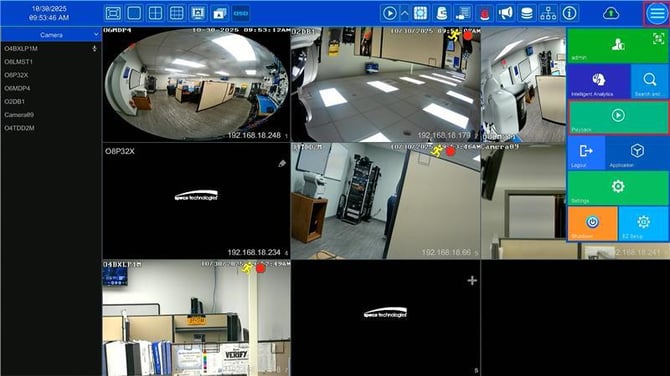
- Select the desired camera by double clicking it's picture.
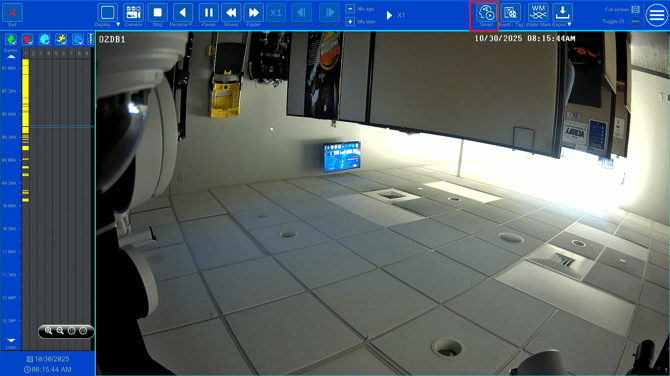
- Then, select the Smart Search button.
- Next, select which type of area selection method and draw it on the screen by clicking and dragging.
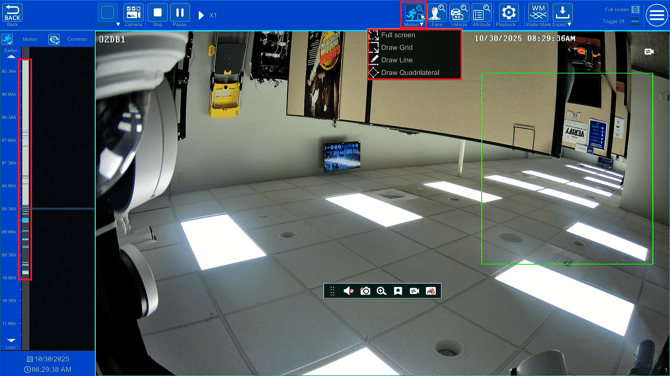
- Once drawn, any motion within the area will be represented by a blue area on the playback timeline.
Initial submission Date: October 30, 2025

Article authored by: Michael Pagano, Technical Support Agent - Tier 1