
-
You will need to log into the camera's IP interface to access this code.
-
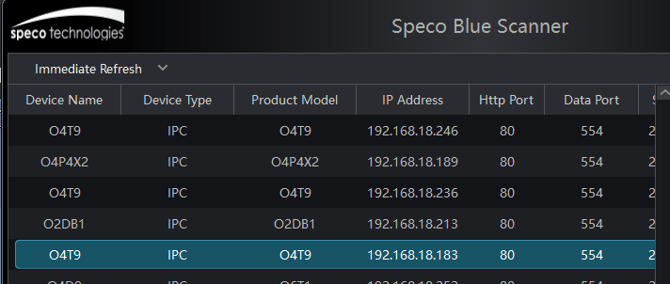
Download and open the Speco Blue Scanner. A guide for that can be found HERE
-
-
Find the desired camera and double click to bring up the web interface.
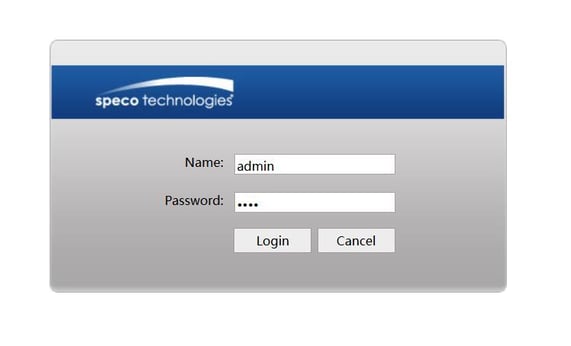 Default credentials will be:
Username: admin
Password:1234
-
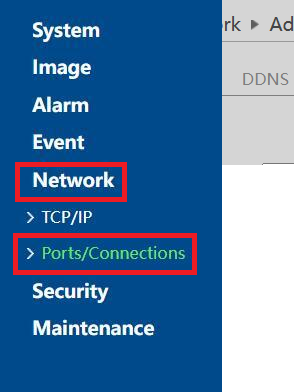
Next, navigate to Config>Network>Ports/Connections

-
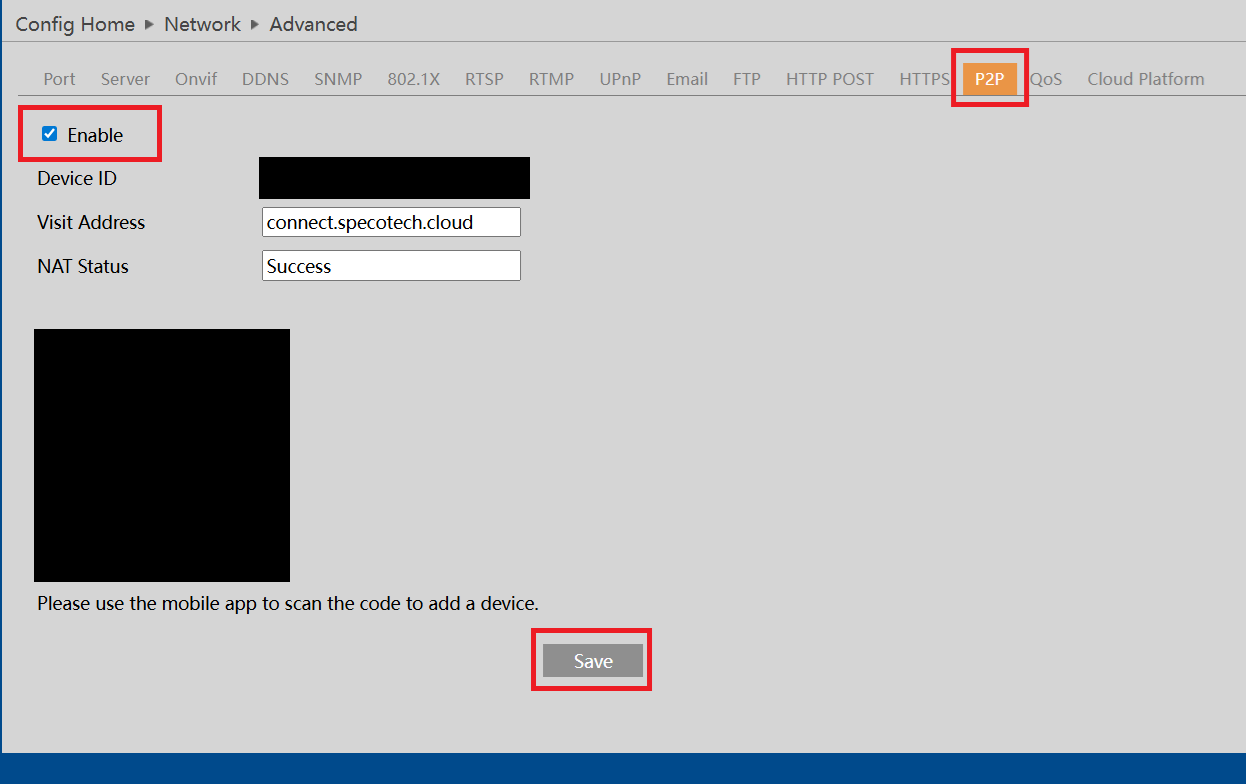
Under Ports/Connections, Navigate to the P2P tab and click Enable and Save
-
Once enabled, the device ID, visit address,NAT status and QR code will all populate
Please ensure the NAT status is a Success as it required to connect to the camera remotely
Initial Submission Date: April 14th 2026
Article Authored by: Michael Pagano, Tier 1