
Through Web Browser
- Select Settings

- Select Add Camera

- In the bottom right, select Advanced then select Channel IP Planning

- Select Enable then select OK

Local at the Recorder
-
Go to Settings > Camera, then select Add Camera
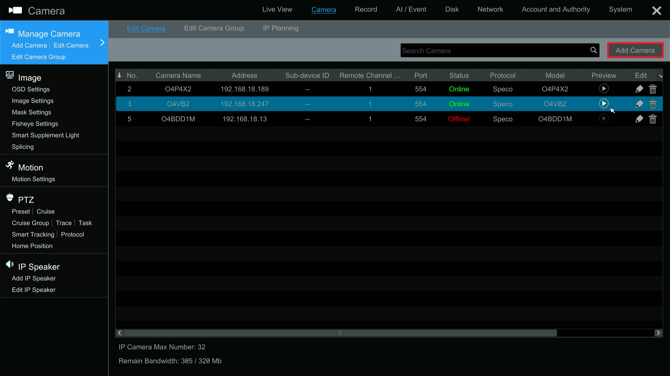
-
Select Advanced
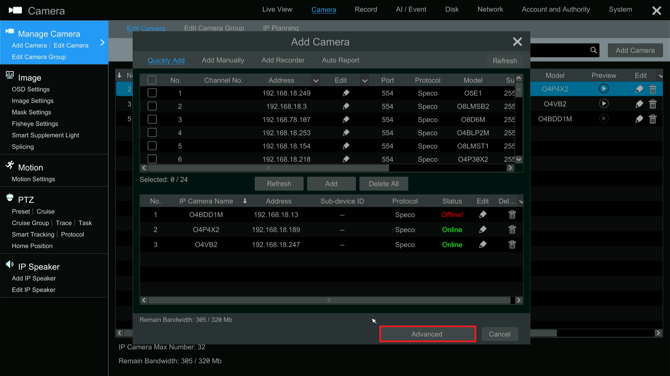
- Select Channel IP Planning
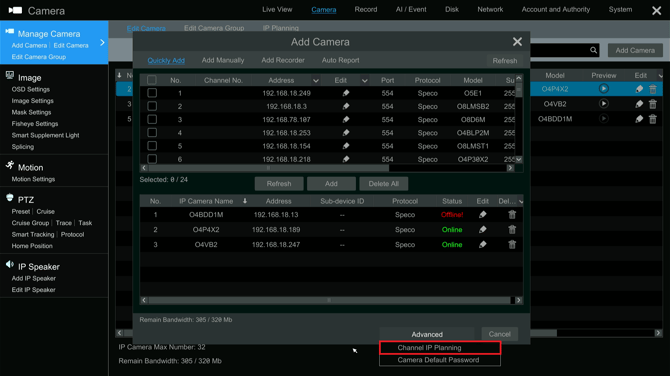
-
Select Enable
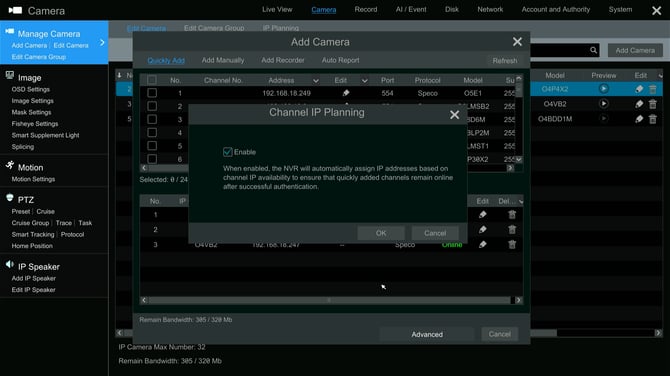
When viewing the cameras in quickly add, they will still appear with the default address 192.168.226.201. Once added, they will be assigned the correct address within a few seconds
Initial submission Date: May 21st, 2026

Article authored by: Kevin Holland, Technical Support Lead