
-
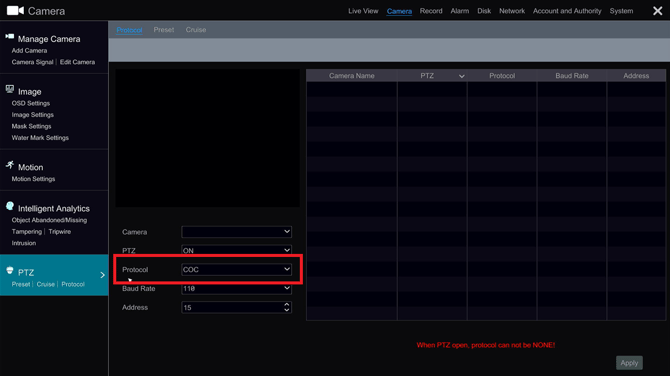
Navigate to Settings>Camera>PTZ


-
In the PTZ section, select the camera on the list and then select the protocol option. This should bring up a drop down menu to select a protocol.

-
For optimal results for displaying an OSD and having PTZ control, we recommend PELCO-C and PELCO-D. This will vary based on the camera manufacturer
Initial Submission Date: July 30th, 2026

Article authored by Michael Pagano, Technical Support Agent