
Note: Both recorders must either be on the same local subnet/network or port forwarding must be enabled for the recorder where the channels are being sourced from if accessing remotely
Also note: When using this method, each camera added will occupy a channel on both recorders
- First, navigate to settings and Camera Settings
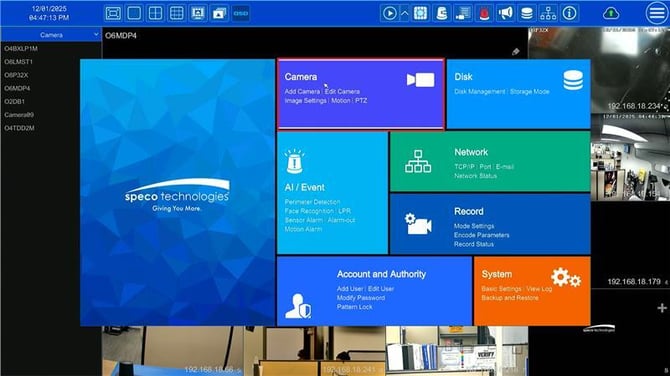
- Next, navigate to Add Camera
- Click on the Add Recorder tab
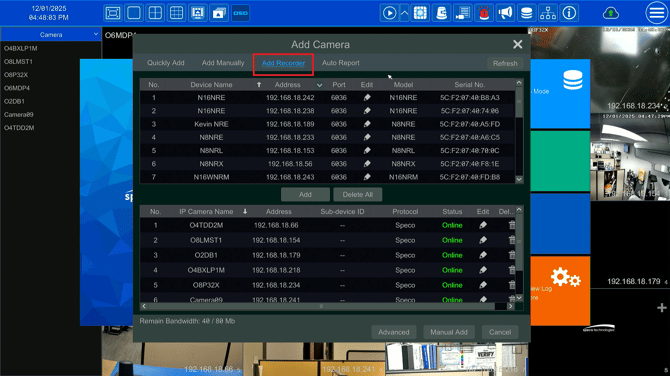
- From here, select a desired recorder and click Add
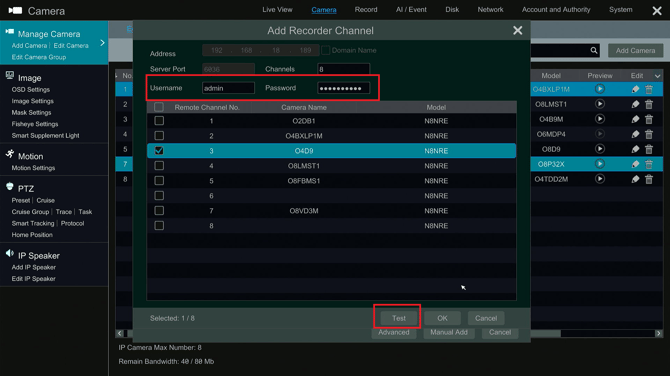
- Enter in the correct credentials for the recorder and hit Test to reveal the camera names of the recorder and verify the credentials are correct
- Select the specific camera and hit OK
Note: The recorder must have the corresponding amount of open channels in order to add from another recorder
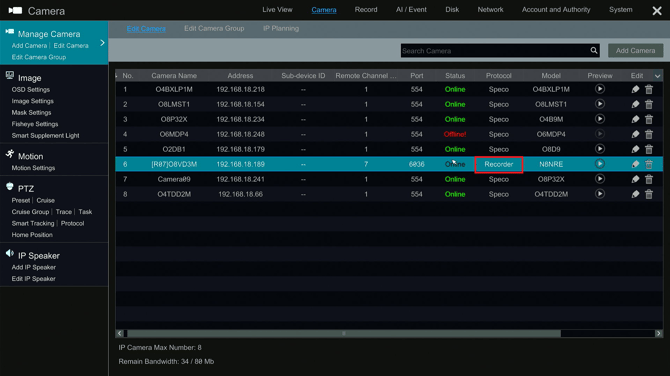
- From here, press OK and the camera should appear on the camera list with the protocol as "recorder"
Initial submission Date: December 1, 2025

Article authored by: Michael Pagano, Technical Support Agent - Tier 1